Text-to-Image Generator
Describe what you want to see, from a cyberpunk warrior to a fantasy landscape, and generate a new AI-created image from your prompt.
Turn your ideas into stunning AI art in seconds. Aimages creates anime portraits, Disney-style characters, realistic photos, comic book illustrations, fantasy art, icons, wallpapers, and more from a simple text prompt.
Powered by FLUX, Aimages makes text-to-image creation fast, simple, and fun for creators, hobby artists, designers, writers, game developers, and anyone who wants original AI-generated visuals.
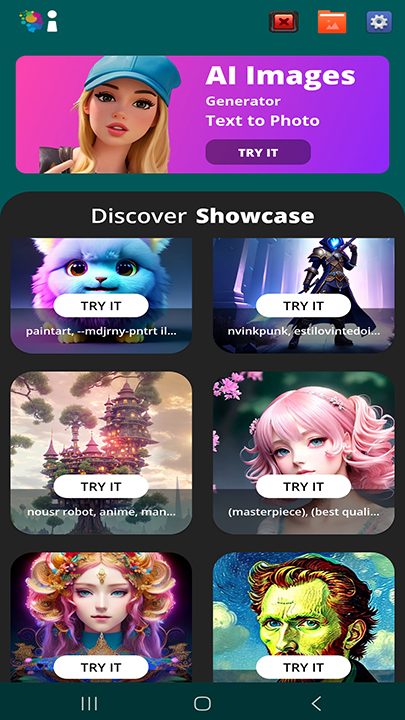
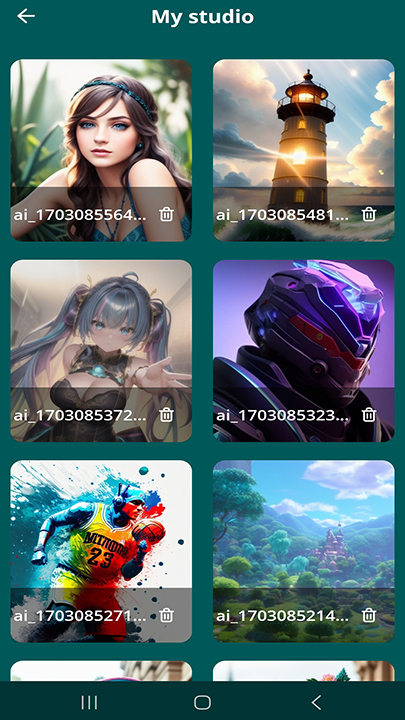
Type any idea, choose an art style and aspect ratio, then tap Create Image. Aimages turns your prompt into shareable AI artwork in seconds.
Describe what you want to see, from a cyberpunk warrior to a fantasy landscape, and generate a new AI-created image from your prompt.
Stuck for ideas? Use the AI Prompt Helper to get suggestions from a sample image and improve your text prompts.
Download HD results to your Samsung Galaxy gallery or share directly to TikTok, Instagram, Snapchat, WhatsApp, Facebook, and more.
Aimages includes a wide range of creative styles for portraits, avatars, wallpapers, illustrations, design ideas, and social content.
Replace these image paths with your final 9:16 vertical screenshots before uploading the page to Softlookup.
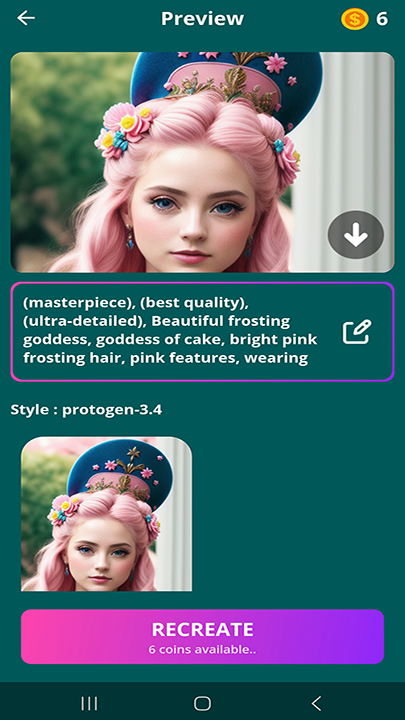
Everything you need to create, refine, save, and share AI-generated images from your Samsung Galaxy phone.
No design skills, complex settings, or account setup required.
Aimages includes an Import Image option that lets you use your own photo as creative inspiration for the AI.
If you want to create original AI art and use a photo as a starting reference for mood or composition, Aimages is a strong creative tool. If you need a selfie editor that keeps your exact face, this app is not designed for that purpose.
A fast, simple, no-account AI art app built for Samsung Galaxy users.
Most images finish quickly, so you can test ideas, refine prompts, and create more visual concepts with less waiting.
No paid subscription is required for the core AI image generator. Daily free credits are available, with rewarded ads for refills.
Aimages is built for Samsung Galaxy phones, One UI behavior, and modern Galaxy display sizes.
Start creating instantly without signing up, logging in, or connecting a social account.
The app supports multiple languages so more users can explore AI image creation comfortably.
Aimages does not require an account. Imported photos are processed temporarily and deleted after generation.
Quick answers about Aimages AI Photo Art Tool.
Aimages is a free AI image generator and photo art tool that turns text prompts into original AI-generated images, including anime, realistic, comic, fantasy, icon, and Disney-style art.
No. Aimages is not designed to preserve your exact face or identity. It creates a new AI-generated image from your prompt, style choice, and optional imported image inspiration.
Yes. Aimages supports HD download so you can save generated images to your Samsung Galaxy gallery.
Yes. Aimages includes one-tap sharing for popular apps such as TikTok, Instagram, Snapchat, WhatsApp, and Facebook.
You can download Aimages from the Samsung Galaxy Store using the button below.
Start turning your imagination into AI art. Type a prompt, pick a style, tap Create Image, then save or share your result.
Get Aimages on Samsung Galaxy Store